1. Introduction
Shopping has changed significantly over the years. Today, customers can discover products, compare options, make purchases, and communicate with businesses online.
This has made e-commerce an important opportunity for many businesses.
Whether you sell physical products, digital products, services, or subscriptions, an effective online store can help you reach customers beyond your immediate location.
However, building an online store involves more than simply displaying products on a website.
A successful e-commerce platform needs to provide a smooth experience from product discovery to checkout and post-purchase support.
This is where e-commerce development becomes important.
2. What Is E-Commerce Development?
Definition
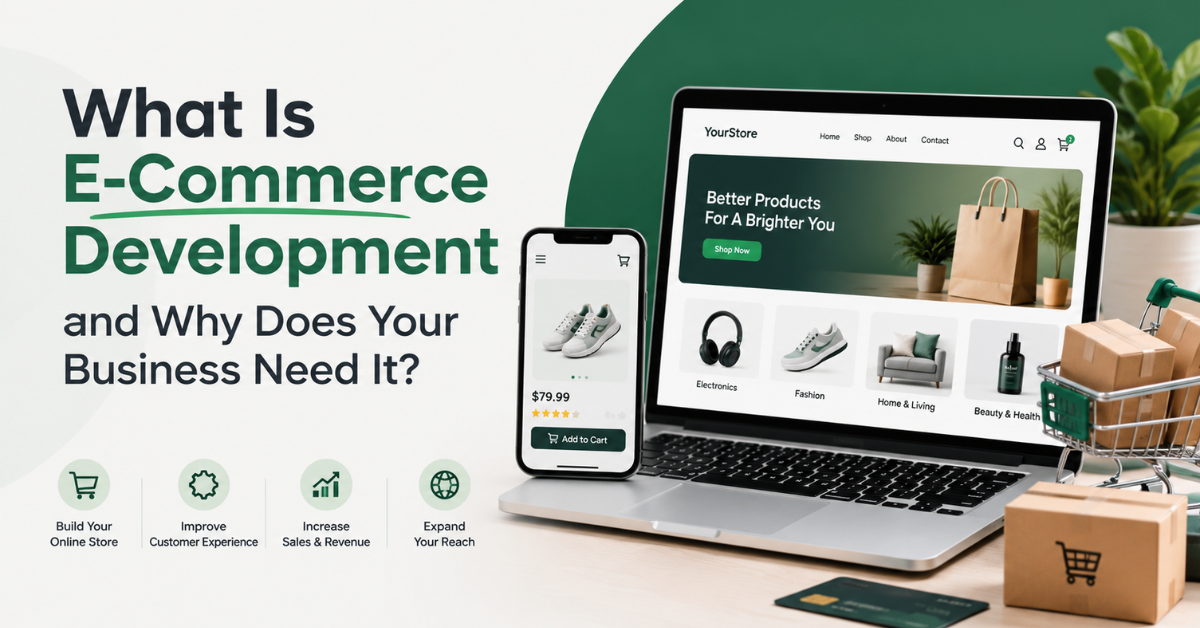
E-commerce development is the process of designing, building, customizing, and maintaining an online platform where businesses can sell products or services digitally.
It involves creating the technology and user experience required for customers to:
- Browse products
- Search for products
- View product information
- Add products to a cart
- Make secure payments
- Receive order confirmation
- Track or manage orders
For businesses, an e-commerce system can also provide tools for:
- Product management
- Inventory management
- Order management
- Customer management
- Payment processing
- Sales reporting
3. How Does an E-Commerce Website Work?
A typical customer journey looks like this:
Customer visits your store
⬇️
Browses products
⬇️
Selects a product
⬇️
Adds the product to cart
⬇️
Enters delivery information
⬇️
Makes payment
⬇️
Receives order confirmation
⬇️
Business processes the order
A well-developed e-commerce website should make this process simple and easy for customers.
4. What Does E-Commerce Development Include?
E-commerce development can involve several important areas.
A. E-Commerce Website Design
The design should help customers easily:
- Understand the brand
- Find products
- Browse categories
- Read product information
- Complete purchases
Important design elements include:
- Clear navigation
- Product categories
- Search functionality
- Product images
- Mobile responsiveness
- Clear call-to-action buttons
B. Product Management
Businesses need an easy way to add and manage products.
A product page may include:
- Product name
- Product description
- Product images
- Price
- Product variations
- Stock availability
- Customer reviews
Good product information can help customers make better purchasing decisions.
C. Shopping Cart
The shopping cart allows customers to collect products before completing their purchase.
A good shopping cart should clearly show:
- Selected products
- Quantity
- Price
- Discounts where applicable
- Delivery information
- Total cost
D. Payment Integration
An e-commerce website needs a secure way to process payments.
Depending on the business and target market, this may include different payment providers and payment methods.
Examples can include:
- Card payments
- Bank transfers
- Mobile payments
- Digital wallets
The right payment solution depends on where your customers are located and which payment methods they trust and use.
E. Order Management
After a customer places an order, the business should be able to manage:
- New orders
- Payment status
- Order status
- Customer details
- Shipping information
- Completed orders
This helps businesses operate more efficiently.
5. Types of E-Commerce Websites
Not every online store works the same way.
Here are some common e-commerce models.
B2C — Business to Consumer
A business sells directly to individual customers.
Example:
A clothing brand selling products through its website.
B2B — Business to Business
A business sells products or services to other businesses.
Example:
A wholesale supplier selling products to retailers.
C2C — Consumer to Consumer
Individuals sell products or services to other individuals through an online platform.
Example:
A marketplace platform.
C2B — Consumer to Business
Individuals provide products or services to businesses.
Example:
A freelancer providing services to companies.
6. Why Does Your Business Need an E-Commerce Website?
1. Sell Beyond Your Physical Location
A physical store is usually limited by location and opening hours.
An online store can allow customers to discover products and place orders from different locations.
This can create opportunities to reach new markets.
2. Make Shopping More Convenient
Customers can browse products at a time that suits them.
They can:
- Compare products
- Check prices
- Read product details
- Make purchases online
Convenience can be an important part of the customer experience.
3. Build a Stronger Digital Presence
Your website gives your business a dedicated online space.
Unlike relying entirely on social media, an e-commerce website can allow you to organize:
- Products
- Categories
- Brand information
- Customer support
- Policies
- Content
in one central location.
4. Improve Customer Experience
A well-designed e-commerce website can make it easier for customers to find what they need.
For example:
Clear Navigation
↓
Product Categories
↓
Product Page
↓
Simple Checkout
A confusing buying process may cause customers to leave before completing their purchase.
5. Better Business Management
E-commerce platforms can help businesses organize important information.
Depending on the platform, this may include:
- Orders
- Products
- Customers
- Inventory
- Sales data
This can reduce manual work and make operations easier to manage.
7. Essential Features Every E-Commerce Website Needs
Here are important features you can discuss in detail.
1. Mobile-Friendly Design
Many customers browse and shop using mobile devices.
Your store should work properly on:
- Smartphones
- Tablets
- Desktop computers
The website should provide a consistent experience across devices.
2. Easy Navigation
Customers should easily move between:
- Homepage
- Categories
- Products
- Cart
- Checkout
For search visibility and discoverability, Google recommends crawlable links and a logical structure connecting menus, categories, subcategories, and product pages.
3. Product Search
A search feature can help customers quickly find specific products.
This is especially useful for stores with many products.
4. High-Quality Product Images
Customers cannot physically touch products online.
Images help them understand:
- Product appearance
- Features
- Size
- Colour
- Details
Using multiple relevant images can improve the product experience.
5. Clear Product Descriptions
A product description should answer important questions.
For example:
- What is the product?
- Who is it for?
- What are its features?
- What sizes or variations are available?
- How is it used?
Avoid copying the same generic description across many products.
6. Secure Checkout
Customers need confidence when entering payment information.
A professional store should clearly communicate important information such as:
- Payment methods
- Delivery details
- Return policies
- Customer support options
7. Customer Accounts
Customer accounts can allow users to:
- View previous orders
- Save information
- Track orders
- Manage account details
However, account creation should not unnecessarily make the checkout process more difficult.
8. Popular E-Commerce Development Platforms
The best platform depends on the project.
Shopify
Shopify is a hosted e-commerce platform suitable for businesses that want a relatively straightforward way to create and manage an online store.
It can be suitable for:
- Small businesses
- Growing brands
- Product-based businesses
WooCommerce
WooCommerce works with WordPress and provides flexibility for businesses that want to combine:
- Website content
- Blogging
- E-commerce
It can be suitable for businesses already using WordPress.
Custom E-Commerce Development
Custom development may be appropriate when a business requires features that go beyond a standard online store.
Examples include:
- Custom dashboards
- Marketplace platforms
- Advanced automation
- Complex inventory systems
- Custom integrations
- Unique customer experiences
9. E-Commerce Development Process
A professional e-commerce project usually follows a process.
Step 1: Discovery and Planning
First, understand the business.
Questions include:
- What products are being sold?
- Who are the customers?
- Which countries or locations are targeted?
- Which payment methods are required?
- How will shipping work?
- Does the business need special functionality?
Step 2: Choose the Right Platform
The platform should match the project’s requirements.
Consider:
- Budget
- Number of products
- Required features
- Scalability
- Technical requirements
- Management preferences
Step 3: Design the User Experience
Plan important pages such as:
- Homepage
- Category pages
- Product pages
- Cart
- Checkout
- Account pages
The goal is to create a clear journey.
Step 4: Development
The development stage may include:
- Theme customization
- Custom functionality
- Product setup
- Payment integration
- Shipping configuration
- Third-party integrations
Step 5: Testing
Before launch, test:
- Navigation
- Product pages
- Cart
- Checkout
- Payments
- Mobile experience
- Forms
- Performance
Step 6: Launch
Once testing is complete, the store can be launched.
For a new e-commerce site, Google recommends verifying ownership, helping Google discover and index the site, monitoring indexing, and considering Merchant Center where relevant.
Step 7: Ongoing Maintenance
After launch, businesses may need:
- Security updates
- Product updates
- Performance improvements
- Bug fixes
- Feature additions
- Technical support
An e-commerce website should continue to improve as the business grows.
10. E-Commerce SEO
This section is especially important for your blog because you want to attract Google traffic.
What Is E-Commerce SEO?
E-commerce SEO involves improving an online store’s visibility in search engines so relevant customers can discover products and content.
Google’s e-commerce documentation highlights site structure, product information, URLs, structured data, and crawlability as important technical areas.
Important E-Commerce SEO Areas
Product Keywords
Understand the words customers use when searching for products.
Product Pages
Create useful and original product information.
Category Pages
Organize products into logical categories.
For example:
Fashion
↓
Men’s Clothing
↓
T-Shirts
↓
Specific Product
This type of structure can help users and search engines understand your store.
Descriptive URLs
Example:
❌ yourstore.com/product/12345
✅ yourstore.com/mens-black-cotton-tshirt
Google recommends descriptive words in URL paths and consistent, persistent URLs.
Internal Links
Link relevant pages together.
For example:
Blog Post → Category Page
Category Page → Product Page
Product Page → Related Products
11. The Importance of Mobile E-Commerce
Mobile shopping is an important part of modern e-commerce.
A poor mobile experience may create problems such as:
- Difficult navigation
- Small buttons
- Slow pages
- Complicated checkout
- Poor product images
Your store should be designed with mobile users in mind.
12. Common E-Commerce Development Mistakes
Mistake 1: Choosing the Wrong Platform
Do not choose a platform only because it is popular.
Choose one based on your business requirements.
Mistake 2: Poor Product Information
Customers need useful information before making a decision.
Avoid:
- Missing descriptions
- Low-quality images
- Unclear prices
- Missing specifications
Mistake 3: Complicated Checkout
Too many unnecessary steps can make purchasing frustrating.
Keep the checkout process clear and focused.
Mistake 4: Ignoring Mobile Users
Always test your website on mobile devices.
Mistake 5: Poor Website Navigation
Customers should not struggle to find products.
Use:
- Clear categories
- Menus
- Search
- Filters where appropriate
- Related products
Google also recommends that important product pages be reachable through crawlable links, rather than relying only on an internal search box.
Mistake 6: No Ongoing Maintenance
Launching the website is not the final step.
Technology, customer needs, products, and business requirements can change over time.
13. E-Commerce and Digital Marketing Working Together
This is an important connection for your agency.
SEO
↓
Helps customers discover relevant pages.
Social Media
↓
Builds awareness and sends interested visitors to your store.
Content Marketing
↓
Educates potential customers and attracts relevant search traffic.
Email Marketing
↓
Helps businesses maintain relationships with interested customers.
E-Commerce Website
↓
Provides the place where customers can explore and purchase.
The strongest strategy is often to make these channels support one another rather than treating each one separately.
Frequently Asked Questions
What is e-commerce development?
E-commerce development is the process of creating and maintaining an online platform where businesses can sell products or services.
How much does it cost to build an e-commerce website?
The cost depends on factors such as the platform, number of products, design requirements, integrations, and custom features.
Which platform is best for an e-commerce website?
There is no single best platform for every business. Shopify, WooCommerce, and custom solutions each have different advantages depending on your requirements.
Can I sell internationally with an e-commerce website?
Yes, depending on your payment setup, shipping capabilities, legal requirements, currencies, and target markets.
Do I need technical knowledge to manage an online store?
Many modern e-commerce platforms allow business owners to manage products and orders without extensive technical knowledge.
Can an e-commerce website help my business get more customers?
An online store can create more opportunities for customers to discover and purchase from your business, especially when combined with effective marketing and a good customer experience.
Conclusion
E-commerce development is about more than building an online store. It involves creating a digital shopping experience that helps customers discover products, understand what they are buying, complete transactions, and return in the future.
A successful e-commerce website should be:
✅ Easy to navigate
✅ Mobile-friendly
✅ Secure
✅ Fast and reliable
✅ Easy to manage
✅ Designed around customers
✅ Ready to grow with the business
Whether a business uses Shopify, WooCommerce, or a custom-built solution, the most important factor is choosing technology that supports its real business goals.
Ready to Take Your Business Online?
Turn your products and ideas into a powerful online shopping experience. Our team builds modern, secure, and user-friendly e-commerce solutions designed around your business goals.